New in CloudBees Unify: Sonatype Nexus integration for binary security scanning of container images.
Most teams know what's in their source code. Far fewer know what's in the container image that ships.
Scanning images usually means someone adds a scan step to a pipeline. Then someone adds it to the next pipeline, and the one after that. Coverage ends up depending on who remembered, and the images that skip the step are the ones you learn about later.
Today we're adding Sonatype Nexus to the container registries CloudBees Unify can scan. Connect your Nexus instance once, and every container image you register against it is scanned automatically.
Implicit scanning, defined: the scan starts when you register the artifact, not because someone wrote a scan step. Registering the image is what triggers it.
The problem is relying on every pipeline to remember
Explicit scan steps work until they don't. A new service launches without one. A template drifts. A team copies a workflow from a repo that predates the requirement.
Each gap is small. Together they mean the findings your security team sees are only as complete as your pipeline hygiene.
If you already run Nexus as your container registry, the images are sitting in one place. The scan should follow them there.
How it works
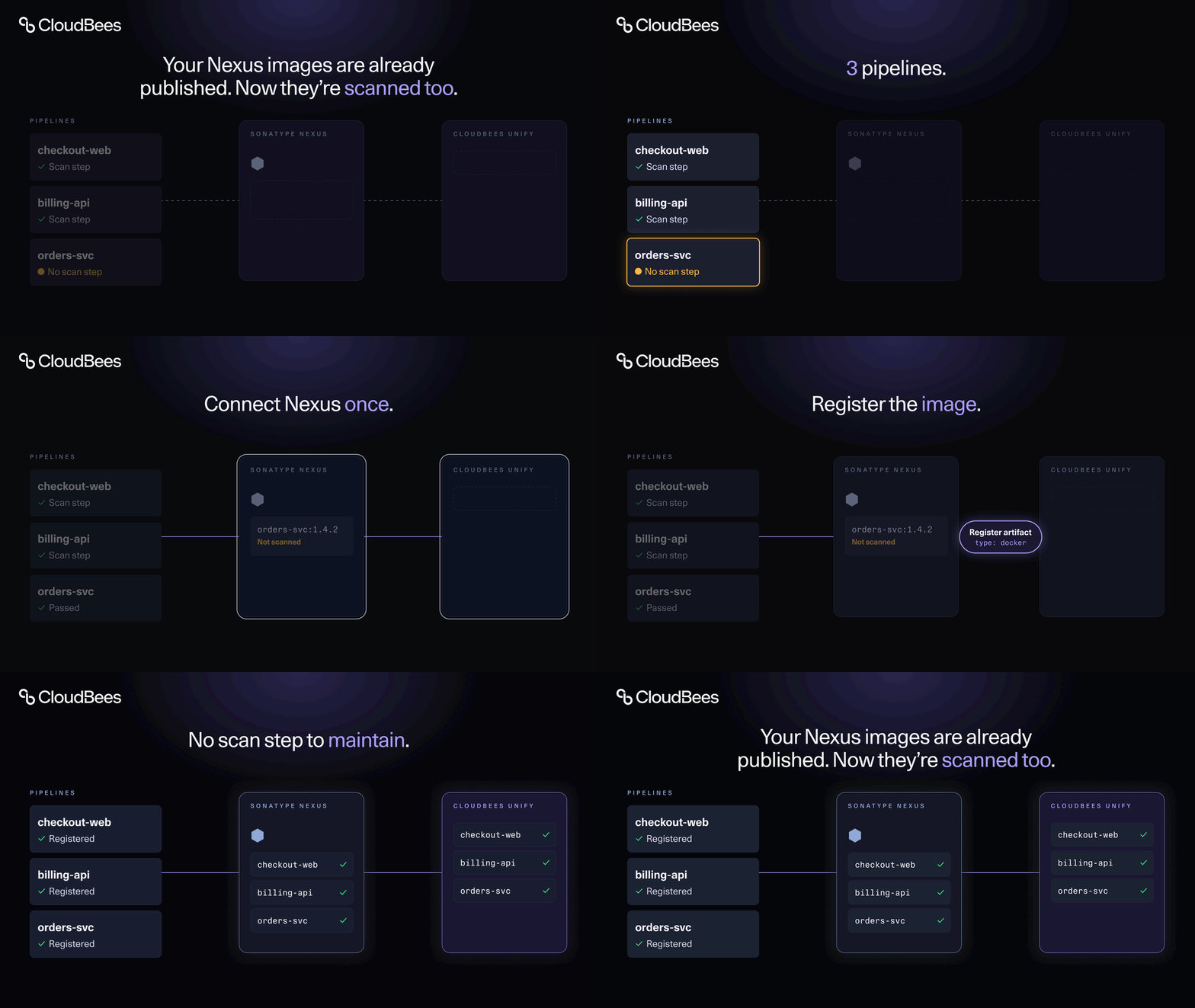
- Connect Nexus once. In CloudBees Unify, go to Configurations > Integrations and create a Sonatype Nexus integration under Container Registries. Add your host and port, then authenticate with a service account or a personal access token.
- Register the image. In a CloudBees Unify workflow, the
register-build-artifactaction does this. In Jenkins and CloudBees CI, it's theregisterBuildArtifactMetadataandregisterDeployedArtifactMetadatasteps. Point the artifact URL at your Nexus registry. - Get findings automatically. CloudBees Unify scans the image and reports results in the component Security Center and Security Overview. Once the image is deployed to an application environment, results also appear in application-level dashboards.
There's no separate scan step to maintain. If your pipelines already register artifacts, the scan comes with them.
What you see
Findings are attributed to the component branch that produced the image, so the people who own the code see the issues. Each produced image gets its own asset profile and its own set of findings. You can see what each build shipped, not just a rolled-up total for the repository.
Works with the CI/CD you already run
Binary scans through the Nexus integration are supported for CloudBees Unify workflows, CloudBees CI, and Jenkins.
Where this fits
Nexus joins JFrog Artifactory and AWS ECR as container registry integrations in CloudBees Unify, so teams on different registries get the same security view in one place. If your images already live in Nexus and you'd like scanning to stop depending on who remembered a pipeline step, this is for you.